

Integrated Self-Ordering Kiosk Solutions
POS-Integrated Self-Ordering Kiosks for Modern Restaurants
Elevate guest convenience and maximize front-of-house efficiency. SalePoint helps restaurant operators select and configure self-ordering kiosk solutions built natively for our portfolio of industry-leading Point of Sale systems—allowing guests to browse, customize, and pay independently to cut wait times, increase average check size, and reallocate labor to hospitality.
Find Your Kiosk Solution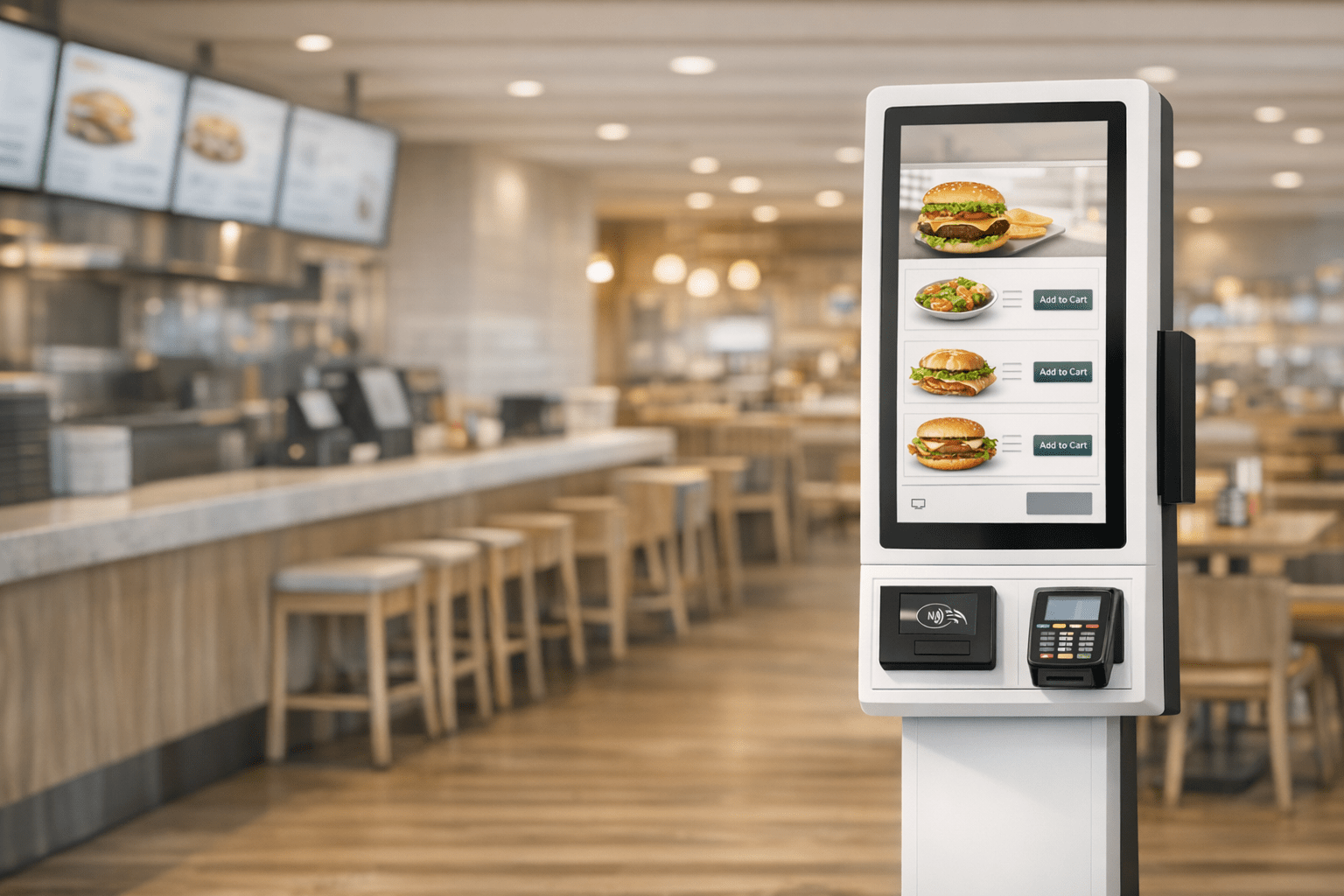
What Is a POS-Integrated Self-Ordering Kiosk?
A self-ordering kiosk is an interactive touchscreen system that lets guests browse menus, customize dishes, and complete checkout without waiting in line at the counter. Connected natively to one of SalePoint’s full-featured restaurant POS systems, kiosk orders send directly to the kitchen—reducing line bottlenecks, eliminating manual order entry, and accelerating ticket fulfillment.
Integrated kiosks feature intuitive digital menus that guide guests through item modifiers, combo options, and allergen disclosures. By presenting high-quality item photos and automated upselling prompts at every order step, self-ordering kiosks consistently boost average check totals while freeing counter staff to focus on guest service.
When paired with SalePoint’s online ordering platforms, digital loyalty programs, and kitchen display systems, self-service terminals become part of a unified technology stack. SalePoint consults with your team to select, deploy, and maintain the exact POS-and-kiosk ecosystem built for your restaurant's service model.
How POS-Integrated Self-Ordering Kiosks Work
A POS-integrated self-ordering kiosk system lets guests browse your digital menu, customize items, and pay directly on interactive touchscreens. SalePoint configures kiosk hardware built natively for our portfolio of restaurant POS systems and Kitchen Display Systems (KDS), ensuring fast, accurate, and seamless digital ordering across your entire operation.
- Guest builds and customizes their order: Customers browse high-resolution digital menus, select meal options, add custom modifiers, and apply rewards connected to your online ordering platform and POS database.
- Order syncs instantly to your POS: Fully POS-integrated kiosks send ticket data directly into your primary register system without cashier intervention—eliminating counter bottlenecks and re-keying mistakes.
- KDS routes items straight to prep stations: Integrated kitchen routing sends orders to dedicated grill, fry, cold prep, or expediter screens for faster kitchen turnaround times.
- Clear status updates for guests: The kiosk display prints or emails receipts featuring order numbers and real-time pickup instructions, keeping lobby traffic organized.
- Secure, flexible payment acceptance: Process credit cards, mobile wallets (Apple Pay, Google Pay), and gift cards directly at the kiosk terminal using encrypted payment processing and your restaurant loyalty program.
POS-Integrated Self-Ordering Kiosk Solutions for Faster, More Accurate Service
Self-Ordering Kiosks Tailored to Your POS Ecosystem
SalePoint pairs your restaurant with self-ordering kiosk solutions built natively for our portfolio of industry-leading Point of Sale systems. By letting guests skip long lines, customize their meals, and pay independently, you enhance guest satisfaction while driving higher throughput during peak hours.
- Higher Throughput in Less Time: Self-ordering kiosks enable guests to place complex or modified orders quickly and confidently without bottlenecking counter cashiers.
- Rapid and Secure Checkout: Give guests the freedom to build their meal, review order totals, and pay instantly using contactless cards or mobile wallets.
- Drive Loyalty & Repeat Visits: Guests can earn and redeem rewards directly at the touchscreen terminal, strengthening brand engagement through your integrated restaurant loyalty program.
- Direct POS & KDS Synchronization: Kiosk orders route automatically to your POS and kitchen display systems—eliminating manual order entry, reducing prep errors, and speeding up kitchen fulfillment.
- Consultative Implementation: SalePoint helps you select, configure, and install kiosk hardware options (countertop, wall-mount, or freestanding) that fit your exact restaurant layout and POS setup.

POS-Integrated Restaurant Self-Ordering Kiosks for Efficient and Fast Service
Offer an Efficient and Fast Self-Ordering Kiosk Experience
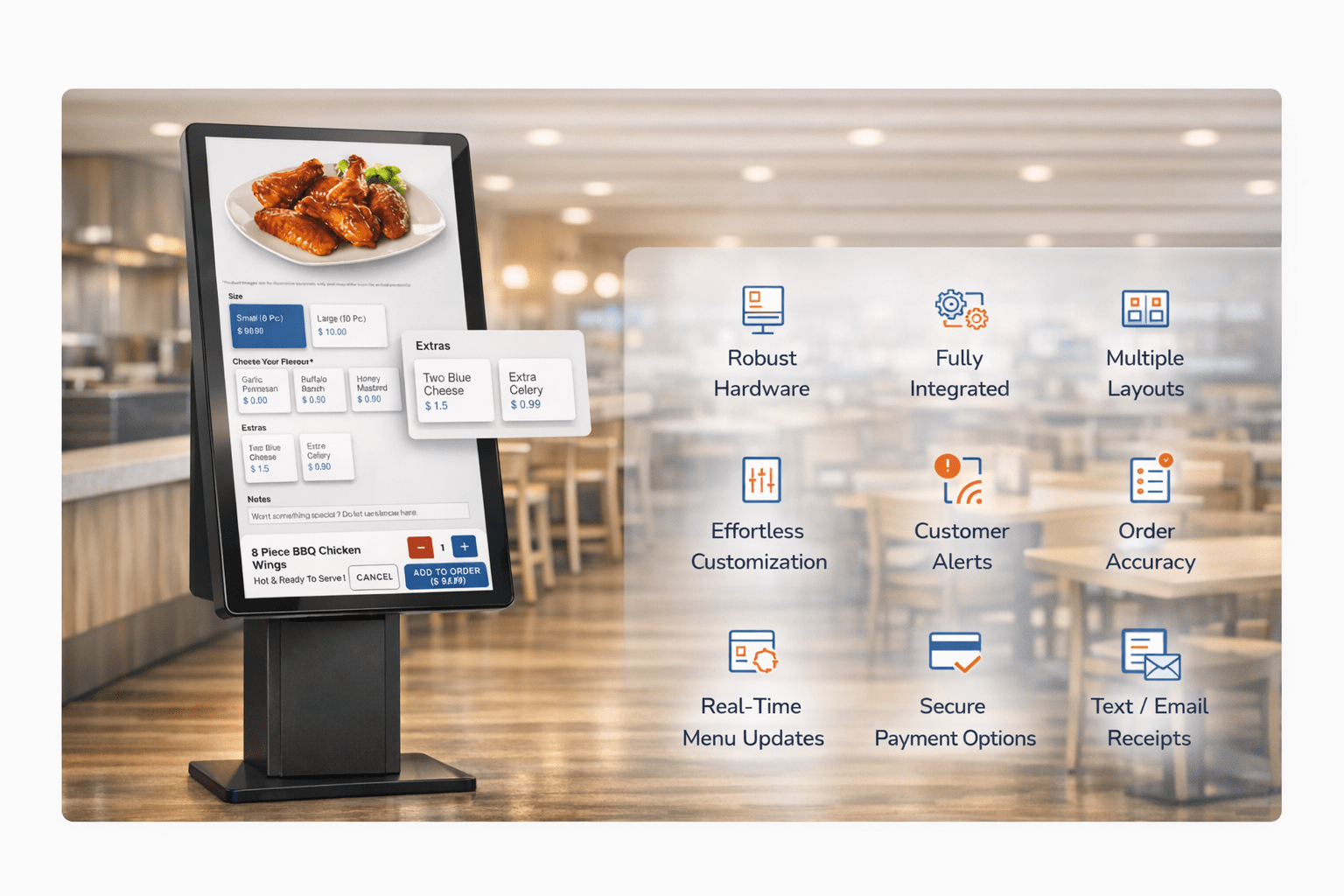
An integrated Self-Ordering Kiosk gives guests a faster, more accurate way to place their orders. With intuitive touchscreen navigation, secure payment options, and direct POS integration, customers can browse the menu, customize items, and check out independently—reducing line wait times and improving order accuracy.
SalePoint helps operators select, configure, and install self-ordering kiosk terminals that integrate seamlessly with our provided POS solutions. Real-time menu updates, consistent pricing, and automated kitchen workflows streamline front-of-house operations, allowing your team to serve more guests without adding labor overhead or counter bottlenecks.
What Self-Ordering Kiosks Are — And Why Modern Restaurants Rely on Them
A self-ordering kiosk is an interactive touchscreen system that enables guests to browse menus, customize items, and complete payments without standing in long cashier lines. SalePoint helps operators deploy POS-integrated kiosk solutions built natively for our portfolio of industry-leading Point of Sale systems. By automating order entry and reducing labor strain, an integrated kiosk terminal speeds up counter service, increases average check size, and syncs effortlessly with your Kitchen Display System (KDS) and online ordering platform.
| Benefit Category | Integrated POS Self-Ordering Kiosks | Traditional Counter Ordering |
|---|---|---|
| Speed & Efficiency | Guests place orders at their own pace with instant POS + KDS sync, eliminating counter lines and boosting throughput during peak hours. | Slower during rush periods; staff bottlenecks strictly limit order volume. |
| Order Accuracy | Direct guest entry ensures precise item modifiers and allergen customizations, sending error-free tickets straight into your POS workflow. | Higher risk of mistakes due to noise, miscommunication, and manual cashier entry. |
| Labor Optimization | Automates routine order taking so staff can focus on food prep and guest hospitality—optimizing labor costs and FOH efficiency while supporting KDS-driven kitchen operations. | Cashiers must manually take every ticket, raising labor overhead and slowing line movement. |
| Revenue Growth | Automated visual prompts and upselling algorithms increase average check size on every transaction, especially when paired with loyalty and rewards. | Upselling relies entirely on staff memory, training consistency, and cashier speed. |
| Guest Experience | Delivers a seamless, line-free ordering experience with contactless payment options and digital receipts synchronized with your online ordering platform. | Longer wait times, congested lobby areas, and limited visibility into menu modifiers. |


Self-Ordering Kiosk Use Cases Across Restaurant Concepts
Because front-of-house workflows vary between concepts, SalePoint evaluates your operational layout to configure the ideal POS-integrated self-ordering kiosk solution. From high-volume QSRs to pizzerias, coffee shops, and multi-location brands, self-service kiosks accelerate service, optimize labor costs, and sync seamlessly with your provided POS system and Kitchen Display System (KDS).
Quick Service Restaurants (QSR)
QSR operators deploy kiosks to eliminate counter lines, maximize order throughput, and protect peak-hour revenue. Guests order independently through clean visual menus while cashiers transition to prep and hospitality. Direct POS integration guarantees rapid, ticket-accurate workflows.
Pizzerias
Pizzerias leverage self-service kiosks to simplify complex custom orders like half-and-half pies, crust selections, and topping modifiers. Visual menu displays guide guests through every step, while integrated KDS routing sends tickets straight to the pizza make-line for faster prep.
Full Service Restaurants
Full-service dining concepts utilize kiosks for lobby ordering, quick takeout pickups, and bar-side ordering. This reduces pressure on host stands during rushes while offering guests a convenient way to order without waiting for server availability.
Bars, Breweries & Taprooms
Taprooms and breweries deploy kiosk terminals to handle high-volume food ordering, promote seasonal beer releases, and reduce counter queues on busy nights. Guests reorder quickly from self-service terminals, allowing bartenders to stay focused on drink service.
Coffee Shops & Cafés
Cafés deploy self-ordering terminals to streamline morning rush lines and manage detailed drink customizations (milk choices, syrup pumps, temperature preferences). Kiosks eliminate misheard drink tickets and keep baristas focused on fulfillment.
Multi-Location & Franchise Brands
Enterprise operators utilize centralized kiosk software management across their SalePoint POS network to push synchronized menu changes, regional pricing updates, and brand promotions simultaneously across every store.
Essential Kiosk Features Configured for Your POS
Eliminate Ticket Errors
Minimize costly food waste by allowing guests to select modifiers and dietary options directly. Direct entry ensures 100% order accuracy across every ticket sent to your kitchen.
Maximize Check Averages
Automated visual upselling prompts guide guests toward sides, drinks, and premium add-ons—consistently generating higher average check totals than traditional counter cashier ordering.
Optimize FOH Labor Overhead
Automate routine order entry so staff can shift from standing behind registers to expediting food and enhancing guest service—achieving lower labor costs during peak rushes.
Line-Free Guest Experience
Provide guests with an intuitive, self-directed ordering journey. Touchscreen terminals let diners skip counter bottlenecks for a faster checkout—delivering more savoring, less waiting.
Our Commitment as Your Kiosk & POS Advisor
Deploying powerful self-ordering kiosk technology requires expert guidance and ongoing support. SalePoint evaluates your restaurant’s service layout to match you with the ideal POS system and native kiosk hardware, then backs your deployment with knowledgeable in-house 24/7/365 assistance to keep your terminals online, your menus updated, and your lines moving.
With clients nationwide and regional offices in Ohio, California, Arizona, and North Carolina, our dedicated team is always ready to guide you—whether you are deploying your first countertop kiosk or scaling self-service terminals across a multi-unit restaurant chain.
Specializing in restaurant point of sale systems, self-ordering kiosk solutions, and integrated payment processing, we are committed to pairing your staff with technology that reduces labor overhead, maximizes order accuracy, and delivers a seamless guest experience.
Consultative Kiosk Payment Solutions
SalePoint evaluates your payment processing setup to pair your self-ordering kiosks with secure, compliant, and cost-effective card processing solutions engineered for your POS environment.
Fast Contactless Checkout: Accelerate terminal throughput with support for EMV chip cards, tap-to-pay credit cards, Apple Pay, and Google Pay directly at the kiosk.
EMV & PCI Security: Encrypted payment processing and EMV-level terminal compliance protect guest card data and minimize chargeback risks across all self-service touchpoints.
Optimized Merchant Programs: SalePoint helps operators assess processing fee structures—including competitive flat rates, interchange-plus pricing, or compliant surcharging—to keep kiosk transactions highly profitable.
POS-Integrated Self-Ordering Kiosks – Frequently Asked Questions
Self-ordering kiosks are touchscreen terminals that allow guests to browse digital menus, modify dishes, and pay independently. SalePoint helps operators deploy kiosks that sync natively with our provided POS systems and Kitchen Display Systems (KDS) for a fast, accurate ordering workflow.
Guests enjoy faster service, line-free ordering, and total control over customization options. Clear visual menus reduce order mistakes, delivering a modern experience integrated directly with your restaurant technology stack.
Yes — automated visual prompts and targeted upselling rules boost average ticket sizes on every transaction when deploying a POS-integrated self-ordering kiosk platform.
Kiosk tickets appear instantly on your main POS terminals and kitchen screens—eliminating counter re-keying and helping front-of-house staff focus on food preparation and guest hospitality.
Yes — integrated kiosk terminals support secure EMV chip card, NFC tap-to-pay, Apple Pay, and Google Pay transactions backed by PCI-compliant tokenization and encryption.
Absolutely. Kiosk user interfaces offer custom color choices, logo placement, menu categories, and item photography to reflect your restaurant's brand identity.
Orders sync natively with your supported POS system and route straight to designated prep stations via your integrated KDS without manual staff re-entry.
Yes — SalePoint consults with operators to select commercial-grade freestanding, countertop, or wall-mounted kiosk hardware that matches your floor plan and POS setup.
Yes — commercial kiosk terminals feature dedicated kiosk-mode software lockdown, restricted system access, and remote device management to prevent tampering.
Ready to Elevate Your Guest Experience with Integrated Self-Ordering Kiosks?
Speak with a SalePoint advisor to evaluate your restaurant's layout and find the ideal POS platform with native self-service kiosk capabilities.
Request a Free Consultation & Demo