

Kitchen Display System (KDS)
Kitchen Display System for Modern Restaurants
SalePoint’s Kitchen Display System digitizes your kitchen workflow with one source of truth — reducing errors, improving production time, and eliminating paper clutter for good.
Discover More — Contact Us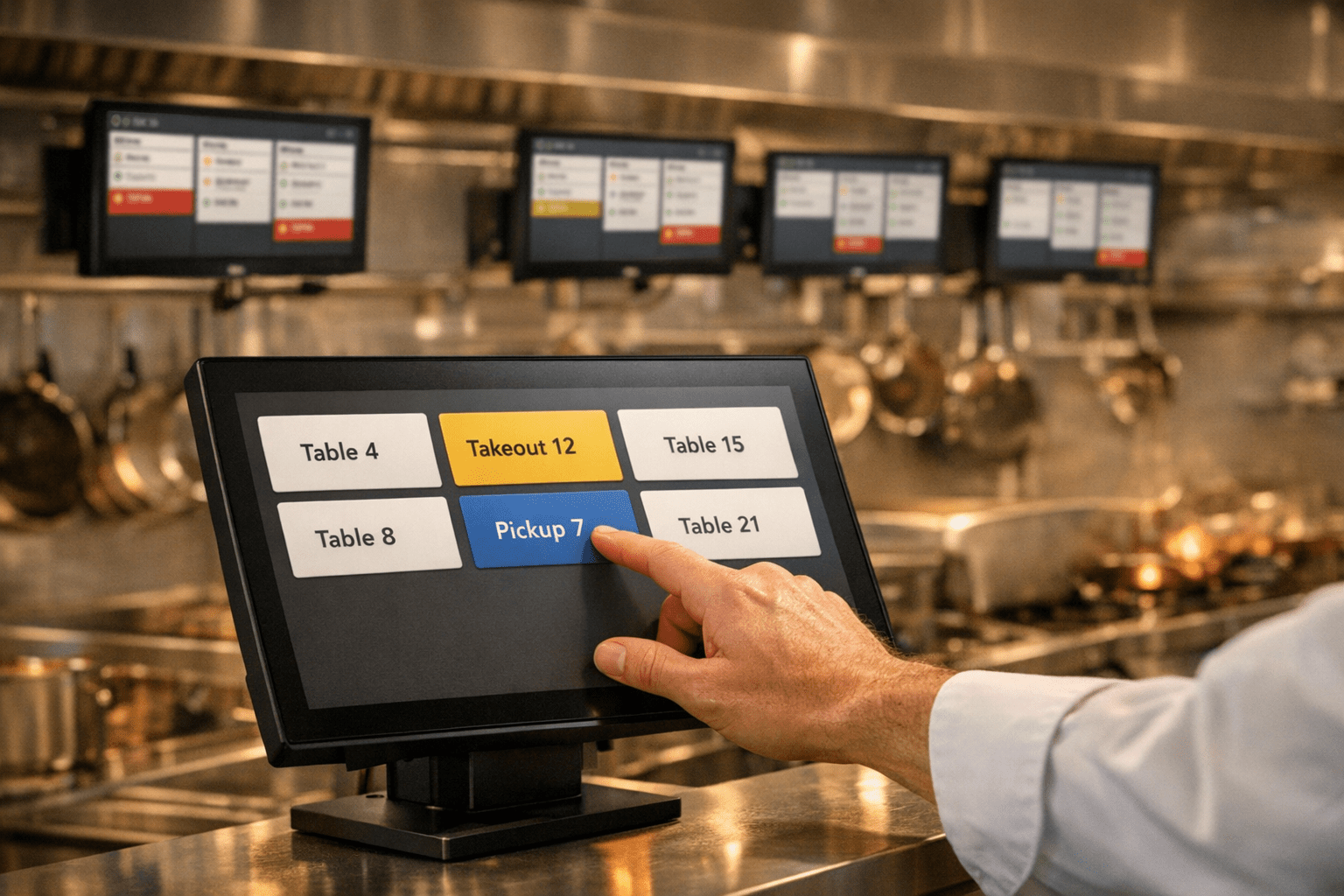
What Is a Kitchen Display System (KDS)?
A Kitchen Display System (KDS) is a digital screen that replaces paper tickets and streamlines communication between your front‑of‑house and kitchen staff. Orders from the POS, online ordering, kiosks, and third‑party apps appear instantly on the display, ensuring every station knows exactly what to prepare and when. With real‑time updates, color‑coded statuses, and automated routing, a KDS helps restaurants improve accuracy, reduce wait times, and keep production running smoothly during even the busiest rushes.
Benefits of a Modern Kitchen Display System (KDS)
A modern Kitchen Display System (KDS) like SalePoint’s helps your kitchen operate with greater speed, accuracy, and consistency. By replacing paper tickets with real‑time digital displays, your team can stay organized, reduce errors, and keep production flowing smoothly during even the busiest rush. Here are the core benefits restaurants rely on every day.
- Faster Ticket Processing: Orders appear instantly on screen from POS, online, kiosk, and third‑party sources — no printing delays or lost paper.
- Improved Order Accuracy: Clear item details, modifiers, and routing ensure every station prepares the right items the first time.
- Better Kitchen Coordination: Multi‑screen sync keeps prep, expo, and specialty stations aligned with real‑time updates.
- Reduced Wait Times: Color‑coded statuses and countdown timers help staff prioritize delayed orders and maintain service speed.
- Higher Throughput: Organized workflows and automated routing help kitchens handle more orders with fewer bottlenecks.
- Consistent Operations: Cloud‑connected menus and prep rules update instantly across all stations and locations.
Restaurant Kitchen Display System (KDS) for Efficient Order Management
Real‑time kitchen coordination with SalePoint’s KDS
SalePoint’s Kitchen Display System (KDS) keeps every station in sync — from prep to plating — with clear, color‑coded order tracking and instant updates across all screens.
- Unified Order Visibility: View all incoming tickets from POS, online, and handheld devices on one clean interface.
- Color‑Coded Status: Track items through Preparing, Ready, and Completed stages for faster communication.
- Performance Timing: Built‑in countdown timers help prioritize delayed orders and maintain service speed.
- Multi‑Screen Sync: Connect multiple KDS displays across stations for seamless coordination and reduced errors.
- Minimal Interface Design: Focused order tiles and intuitive touch controls keep the kitchen workflow distraction‑free.
- Cloud‑Connected Updates: Orders and status changes sync instantly across all devices and locations.

Integrated Kitchen Display System for Seamless Order Management
SalePoint’s Kitchen Display System (KDS) bridges the gap between front and back of house, displaying all tickets from POS, online ordering, and self-ordering kiosks in one unified view. With real‑time updates, color‑coded progress tracking, and intuitive layout, your kitchen team can stay organized and deliver every order on time — no paper tickets, no confusion, just streamlined communication.


KDS vs. Paper Tickets vs. Hybrid Workflow
Restaurants use different workflows depending on volume, staffing, and kitchen layout. Here’s how a Kitchen Display System (KDS) compares to traditional paper tickets and hybrid setups that combine both.
Kitchen Display System (KDS)
- Instant Sync: Orders appear immediately from all channels.
- Color‑Coded Status: Preparing, Ready, Completed at a glance.
- Real‑Time Changes: Modifiers and voids update instantly.
- Multi‑Station Routing: Auto‑send items to correct prep areas.
- Timers & Alerts: Prioritize delayed orders automatically.
- Cloud‑Connected: Update menus across all locations.
Paper Tickets
- Printer Delays: Jams, slow prints, or lost tickets.
- No Status Tracking: Requires verbal communication.
- No Timing Tools: Staff must track manually.
- Manual Updates: Reprints or handwritten edits.
- Routing Errors: Tickets misplaced or mis‑sorted.
- Local Only: No cloud syncing or visibility.
Hybrid Workflow
- Flexible Setup: Use KDS for high‑volume stations.
- Backup Redundancy: Paper available if needed.
- Partial Automation: Some routing and timing tools.
- Mixed Visibility: Digital clarity + paper fallback.
- Gradual Adoption: Easier transition for staff.
- Still Requires Oversight: Paper can still cause errors.
Key Features of the SalePoint Restaurant Display System
Advanced Item/Order Routing
Direct specific food items to the correct kitchen stations based on preparation type — whether fried, grilled, baked, or more. Ensure each item reaches the right station to streamline workflow and improve overall kitchen efficiency.
Item Delay Analysis
Gain real‑time insights into delayed items and orders. Identify bottlenecks, optimize station performance, and improve service speed to enhance customer satisfaction.
Never Lose A Ticket
Replace traditional printers with an eco‑friendly digital ticketing system. Improve communication, eliminate lost or unreadable tickets, and ensure every order is completed accurately and on time.
Display by Prep/Collection Time
Optimize your KDS workflow by displaying tickets based on prep time and collection time. Improve workload management, reduce wait times, and elevate the overall service experience.
Key Features of the SalePoint Restaurant Display System
Our Commitment
Having a great product doesn’t mean anything without outstanding support. We are a dedicated team of in-house staff that offers knowledgeable 24/7/365 support.
With customers nationwide and offices in Ohio, California, Arizona and North Carolina, our passionate team is here to help!
Specializing in point of sale applications and integrated payments, we are dedicated to our customers and their guests.
Integrated Payments
SalePoint partners with leading credit card processors to provide our customers with secure, compliant and affordable integrated payment solutions.
Flexible payments made faster and more secure.
EMV‑compliant restaurant POS.
Offer pay at table and increase tips up to 50%.
Kitchen Display System (KDS) – Frequently Asked Questions
A Kitchen Display System (KDS) replaces paper tickets with real‑time digital screens that organize, route, and track orders across every station. SalePoint’s KDS provides instant visibility into prep status, timing, and station workload.
A KDS streamlines communication between front‑of‑house and kitchen staff, reduces ticket times, and ensures orders are routed instantly to the correct prep stations. SalePoint’s KDS integrates directly with your POS system for a fully automated workflow.
Yes — digital routing eliminates lost paper tickets, handwriting issues, and miscommunication. SalePoint’s KDS displays clear item details, modifiers, and station assignments so staff prepare the right items the first time.
Faster, more accurate orders lead to shorter wait times and fewer mistakes. SalePoint’s KDS helps kitchens maintain consistent pacing and service quality, even during peak hours.
Yes — SalePoint’s KDS provides real‑time metrics such as prep times, bottlenecks, station performance, and order delays, helping managers optimize workflow and staffing.
Absolutely — SalePoint’s KDS supports expo, grill, fry, salad, dessert, and any custom station setup your kitchen requires, with automated routing rules for each.
Yes — online orders, delivery, and third‑party marketplace orders flow directly into SalePoint’s KDS without manual entry, tablets, or extra devices.
You can deploy as many stations as needed — each with its own routing rules, display settings, and prep logic. SalePoint’s cloud‑connected configuration makes multi‑station setups simple to manage.
Yes — as long as the device is connected to your secure network, SalePoint’s wireless KDS screens operate smoothly and reliably across all stations.